Add a warm-up to a lesson
Goal: put a short practice session in front of your lesson.
Steps
-
Open the lesson scene, then ALF > XR Pre-Training.
-
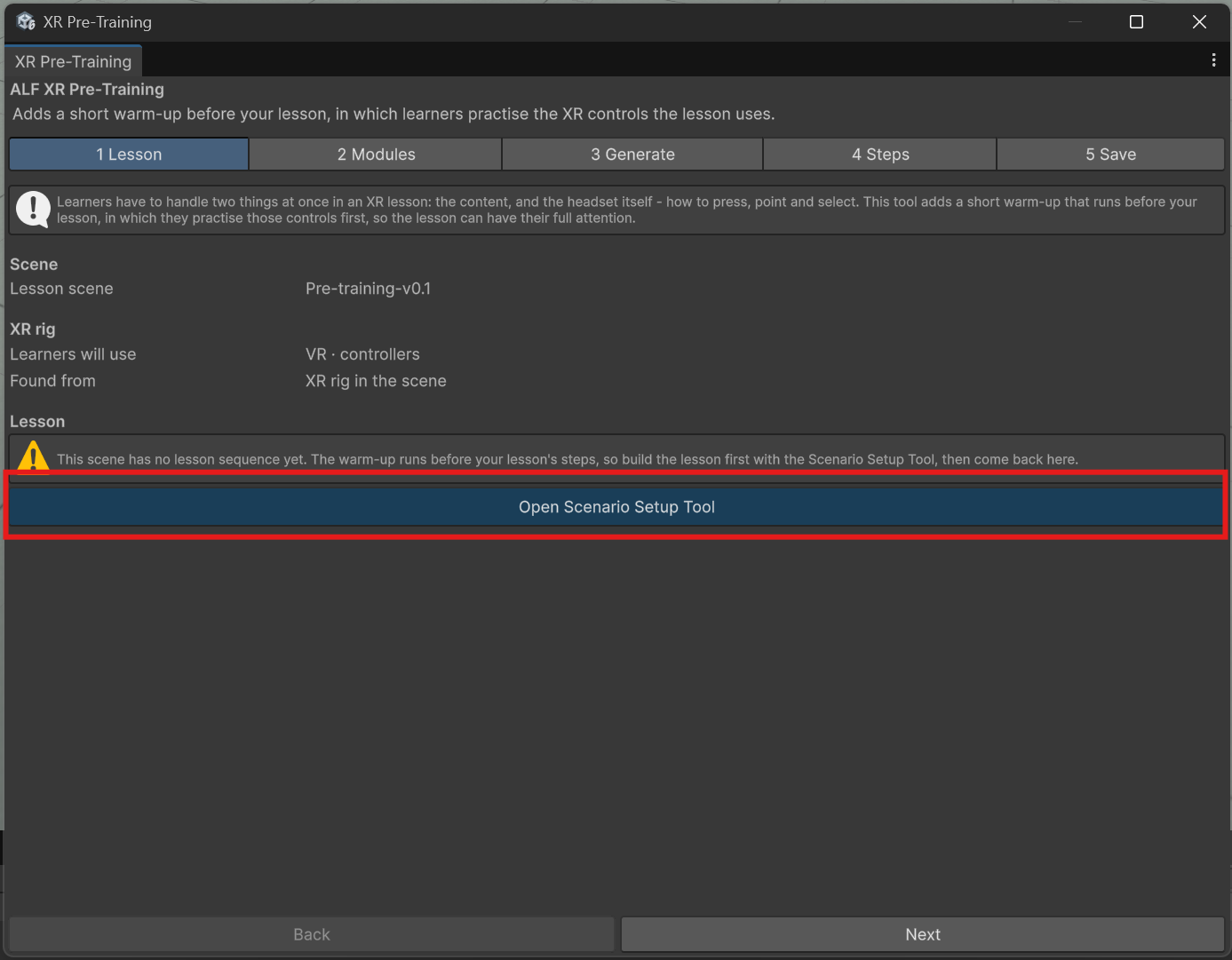
In step 1 Lesson, check:
- Lesson scene: the scene you want.
- Learners will use: the player setup, for example VR with controllers. Found from says where the tool read it.
- Lesson steps: how many steps your lesson has.
If there's no lesson yet, press Open Scenario Setup Tool and build it first.
-
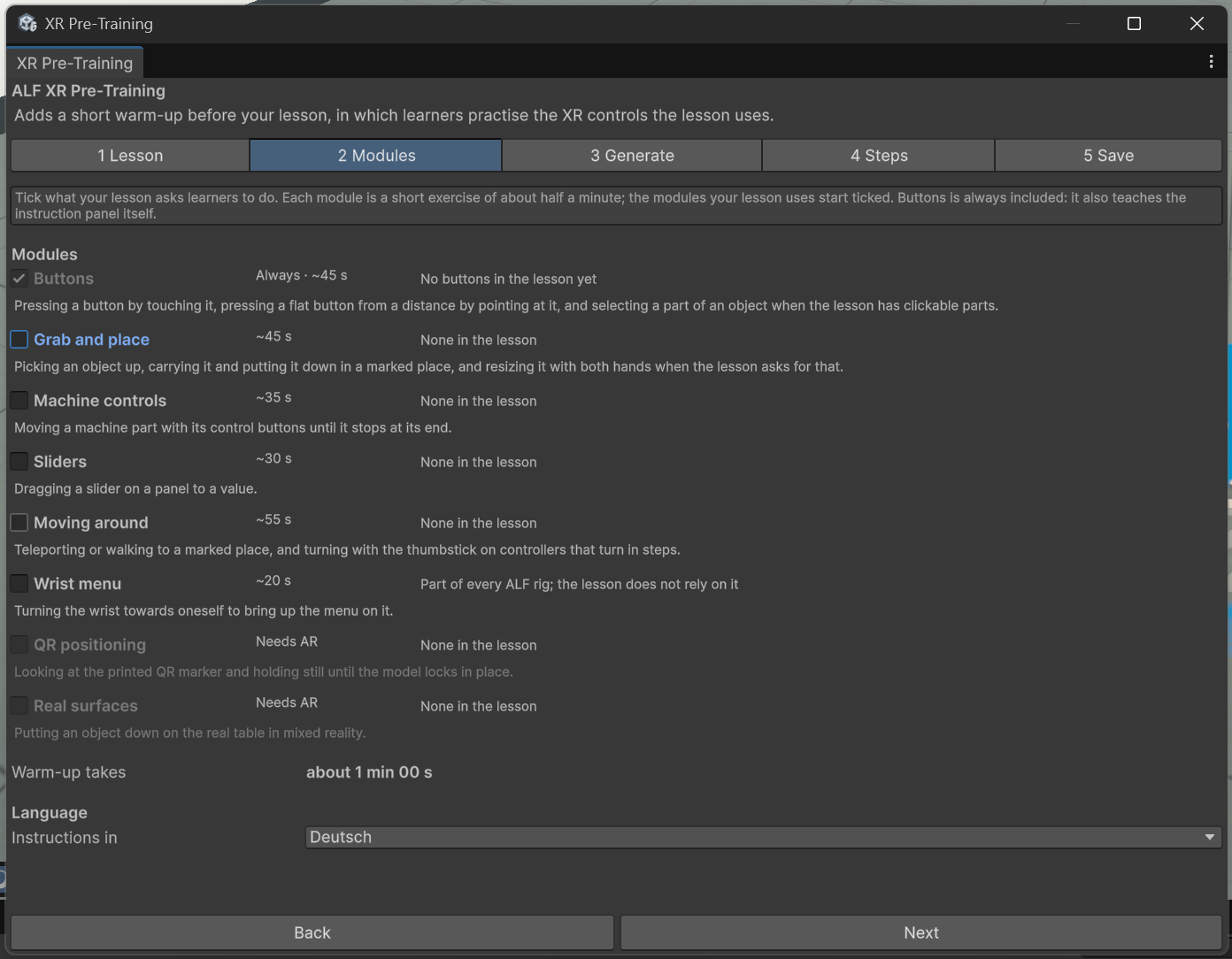
In step 2 Modules, look at the list of exercises:
- Exercises your lesson uses are already ticked. Each row says what it practises, what the tool found in your lesson, and about how long it takes.
- Buttons is always included.
- Greyed-out exercises don't fit the player setup. The reason is shown next to them.
- Warm-up takes shows the total length. Keep it under five minutes: untick exercises your learners already know.
-
Under Language, choose Deutsch or English for the instructions.
-
In step 3 Generate, set Hint after (seconds): how long a learner can be stuck before they get extra help. Anything from 5 to 120 seconds; 15 by default.
-
Read What this adds. It lists what will be created and confirms that your lesson isn't changed.
-
Press Add the warm-up.
-
Optional: in step 4 Steps, change the wording, the hints or where the panel stands. See Edit the practice steps.
-
In step 5 Save, check for overlap warnings. If practice objects overlap your lesson's content, see Move the station.
-
Press Save the scene.
Result
The scene has a practice station where the learner starts, and a warm-up that runs before the lesson. When learners finish it, the station disappears and your lesson starts at its first step.
The warm-up doesn't show up in Scenario Setup: there you only see and edit your lesson. The practice steps are listed and edited here, in step 4.
Try it in Play mode or on the headset. See What learners experience.
Good to know
- Undo works. Adding, regenerating, saving step changes and removing are each one step with Ctrl+Z.
- The tool remembers your choice. Reopening it shows the exercises, the language and the hint delay you chose.
- Practice buttons can be adjusted in Button Injection, and the practice cube in the Object Spawner, like any other.
- Translating the warm-up: its texts and hints are included in Text Import & Export.