Choose how a step finishes
Goal: decide what the learner has to do before the lesson moves on to the next step.
Steps
-
In tab 2 Steps, click the step in the list.
-
Switch to Environment & Flow.
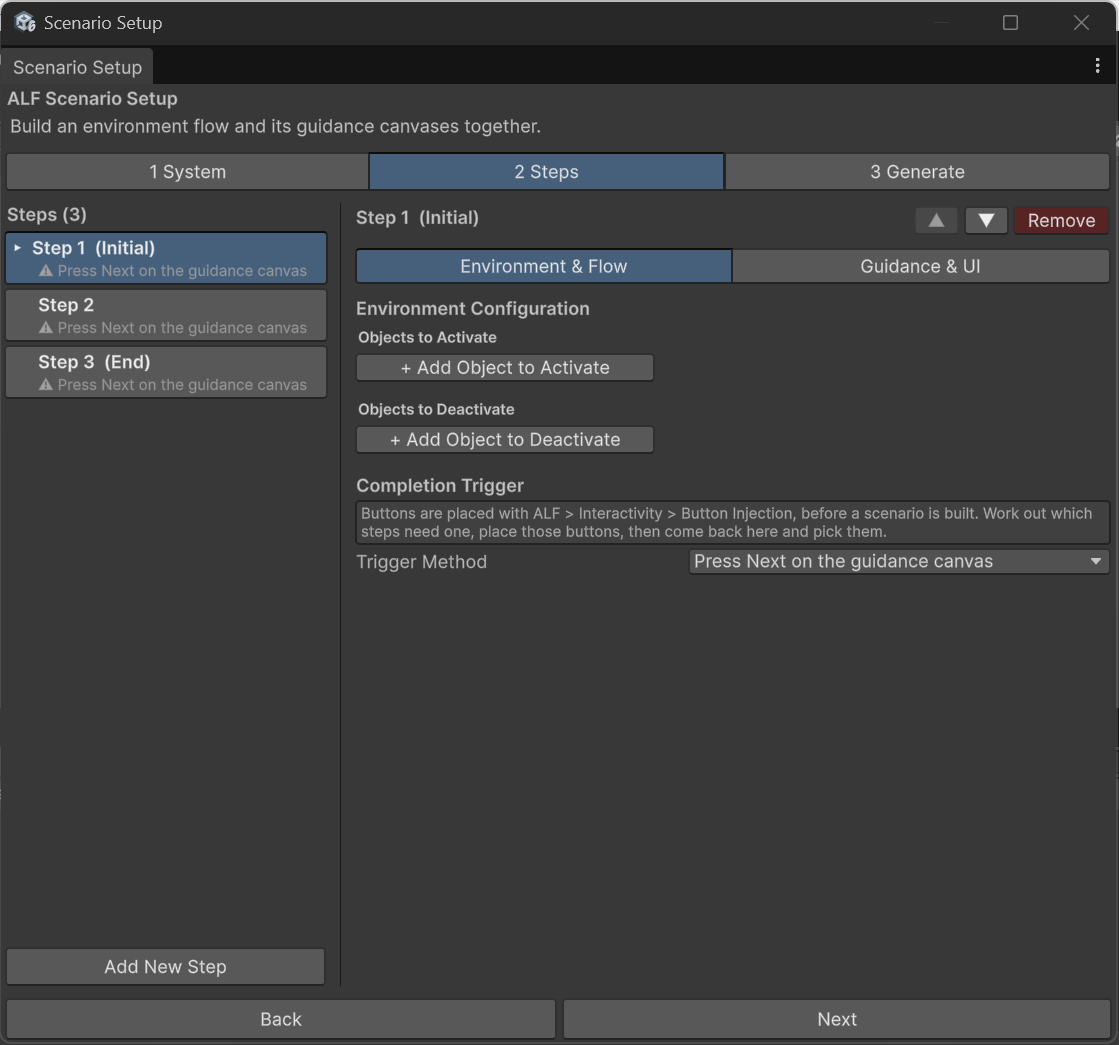
-
Under Completion Trigger, choose the Trigger Method:
| Trigger Method | The step finishes when… |
|---|---|
| Press Next on the guidance canvas | The learner presses Next on the instruction panel. The simplest choice. |
| Reach a place in the room | The learner walks to a place you mark. See below. |
| Press a flat button | The learner presses a flat button you placed. See below. |
| Press a hand-pressable button | The learner presses a 3D push button or a clickable part you placed. See below. |
| Something else in the scene signals it | A script tells the lesson to move on. See below. |
Reach a place in the room
The tool creates an invisible sphere. The step finishes when the learner walks into it. A floating marker shows the learner where to go.
| Field | What to do |
|---|---|
| Radius (Meters) | How big the sphere is. Bigger is easier to reach. |
| Placement Mode | In the world, or on an object so the place moves with it. |
| Attachment Target | Only on an object: drag the object from the Hierarchy. |
| World Coordinates (Center) or Local Offset | Where the centre of the sphere is, in metres. |
Press Preview & Adjust Zone to move the sphere by eye.
Press a button
The buttons must be placed first, with Button Injection. Then:
- Choose Press a flat button for a flat button, or Press a hand-pressable button for a 3D push button or a clickable part.
- Pick the button from the Button list. Each entry shows the button's name, kind and where it sits.
| Your button is a… | Choose |
|---|---|
| Flat button (with or without a label) | Press a flat button |
| Push button model (with or without a label) | Press a hand-pressable button |
| Clickable part | Press a hand-pressable button |
| Flat button with Also react to being touched | Either one |
Give buttons names like Start pump when you place them. That's how you find them in this list.
Something else in the scene signals it
The step waits for a script to say it's done, for example when a machine reaches a certain position. This needs a developer, who connects their script to the lesson. Every other trigger method can be set up entirely with the ALF tools.
Good to know
- A button step without a button can't be finished. Tab 3 Generate lists it as a problem.
- Exploded views can open at a step without a trigger. See Open the model at a lesson step.