How the palette is built
A Part Palette is a board on the wall of your scene with small 3D models of parts on it, like the drawers of item bench. When a learner pokes one, the real part appears floating in front of the board, ready to grab.
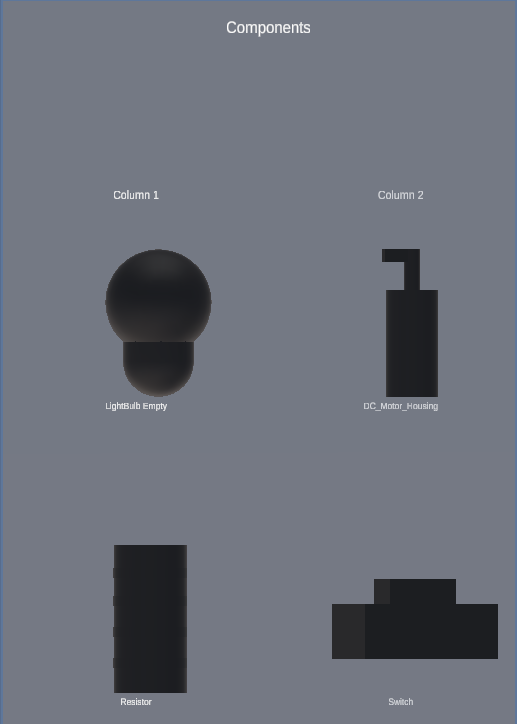
What you need
- A prefab for each part. A prefab is a ready-made object saved in your project, such as a resistor model. You'll find prefabs in the Project window, usually at the bottom of the Unity editor.
- Ideas for columns. Decide how to group the parts: one column per kind of part, one row per variant.
New to Unity? The basic terms (Scene, Hierarchy, Play mode) are explained in Before you start.
Two things to know about this tool
1. The palette is saved as a file in your project. Unlike the other ALF tools, the list of columns and parts isn't stored in the scene. It's stored in a configuration asset, a file in the Project window. That means you can reuse the same palette in several scenes.
2. In the editor, the board looks empty. The scene only holds one empty object for the palette. The cells and miniatures are built when the lesson starts. To see the board while setting it up, use the preview in step 1, or the placement preview in step 5.
Opening the tool
In Unity's top menu, choose ALF > Interactivity > Part Palette.
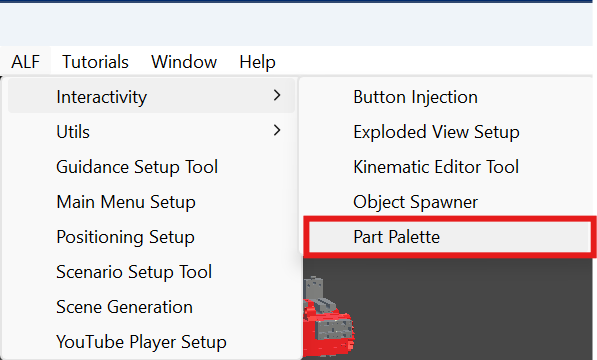
The window has five steps:
| Step | What you do there | Available |
|---|---|---|
| 1 Configuration | Choose the configuration asset, and open the 3D preview. | Always |
| 2 Layout | Name the palette, add columns, and fill them with parts. | Once there's a configuration asset |
| 3 Appearance | Set cell size, spacing, captions and the backboard. | Once there's a configuration asset |
| 4 Spawned Parts | Choose what learners can do with a part once it appears. | Once there's a configuration asset |
| 5 Scene | Put the board in the scene, move it, or remove it. | Always |
Which side is the front?
The front of the board is the side its blue Z arrow points to in the Scene view. Labels read correctly from there, and spawned parts appear on that side. A new board is placed facing the Scene view camera, so it starts facing you.