Create a guidance sequence
Goal: build a series of instruction panels, from start to finish.
Steps
1 System
-
Open ALF > Guidance Setup Tool.
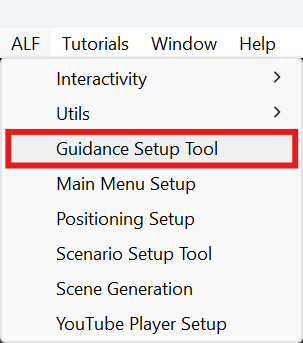
-
Under System Target, leave Guidance Manager empty. The box below says MODE: Creating a new setup.
-
Under Sequence Length, set Number of Steps and press Update Count. You can have up to 20 steps.
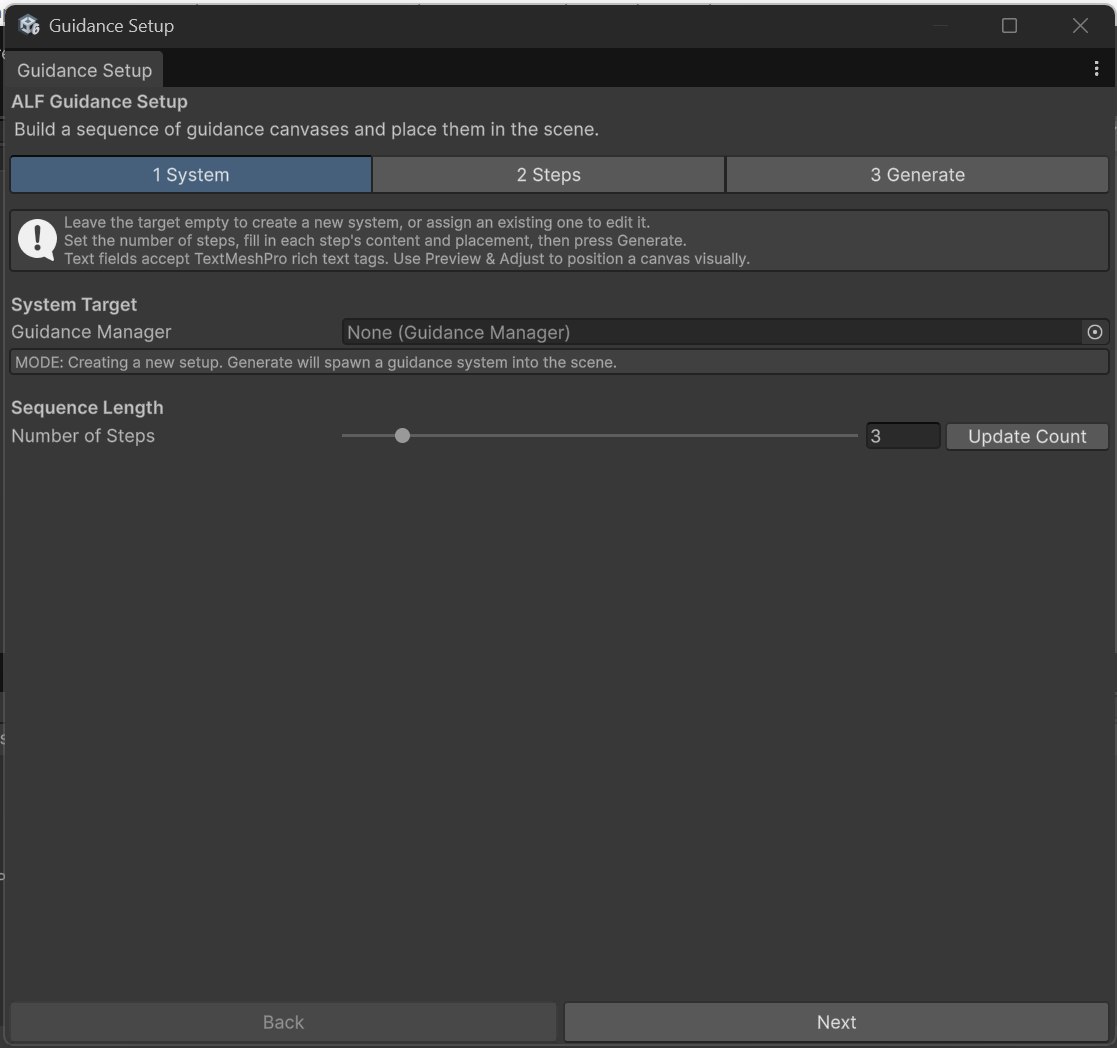
2 Steps
-
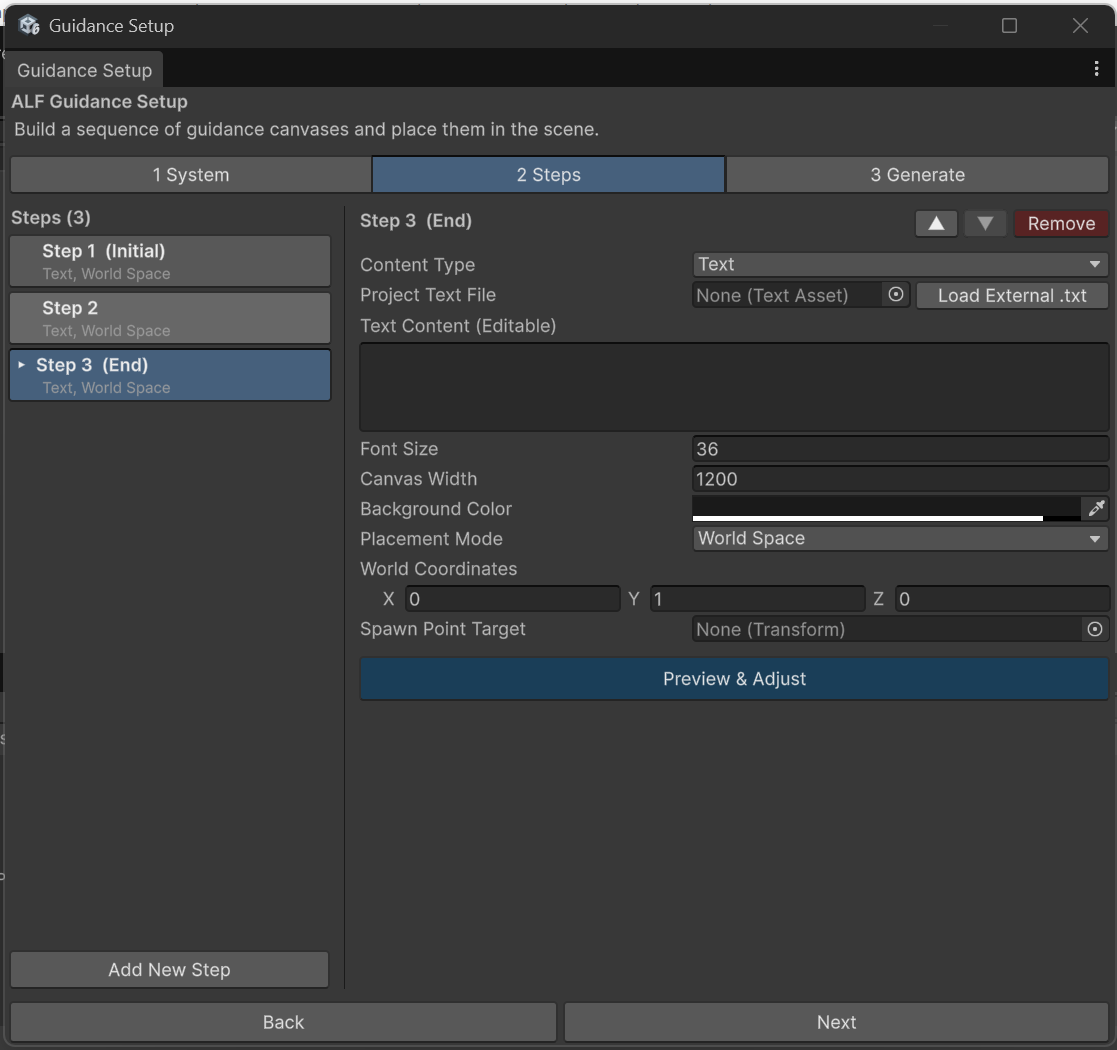
Open tab 2 Steps and click a step in the list.
-
Fill in what the panel shows. The fields are the same as in Scenario Setup: see Write the instructions for a step.
-
Choose where the panel appears. See Place the instruction panel.
-
Repeat for every step. To add, move or remove steps, use Add New Step, ▲, ▼ and Remove, as described in Add, reorder or remove steps.
3 Generate
-
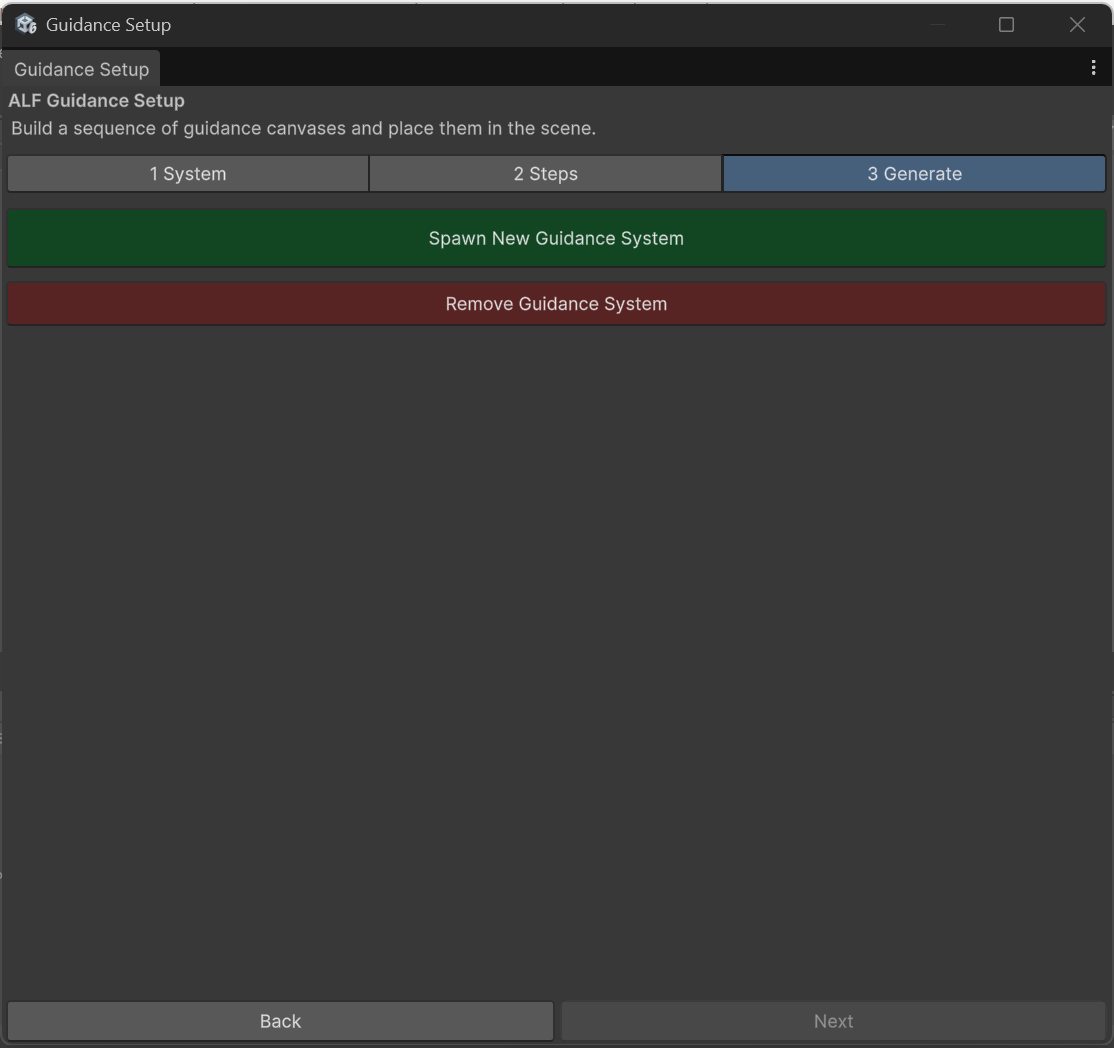
Open tab 3 Generate. If warnings are listed, fix them first.
-
Press Spawn New Guidance System.
-
Save the scene with Ctrl+S.
Result
The panels are built into the scene. Press Play to see the first panel.
Good to know
- Format text with tags, for example
<b>bold</b>or<color=red>red</color>. - Use Preview & Adjust to place a panel by eye instead of typing coordinates.