When to use Guidance Setup
A guidance sequence is a series of instruction panels. The learner reads one panel at a time and moves through them with the panel's buttons:
- Next goes to the next panel.
- Previous goes back one panel.
- The last panel has a button to end the sequence.
If a panel is out of view, an arrow near the learner points towards it.
New to Unity? The basic terms (Scene, Hierarchy, Project window, Play mode) are explained in Before you start.
Guidance or Scenario?
| Use | When |
|---|---|
| Guidance Setup | You only need instruction panels, and the learner always moves on with Next. |
| Scenario Setup | Steps should also change the room (show or hide objects), or finish another way: walking to a place, or pressing a button. |
One or the other
If the scene already has a scenario made with Scenario Setup, this tool can show the panels but won't change them. Use Scenario Setup to edit them, because it handles the panels and the steps together.
Opening the tool
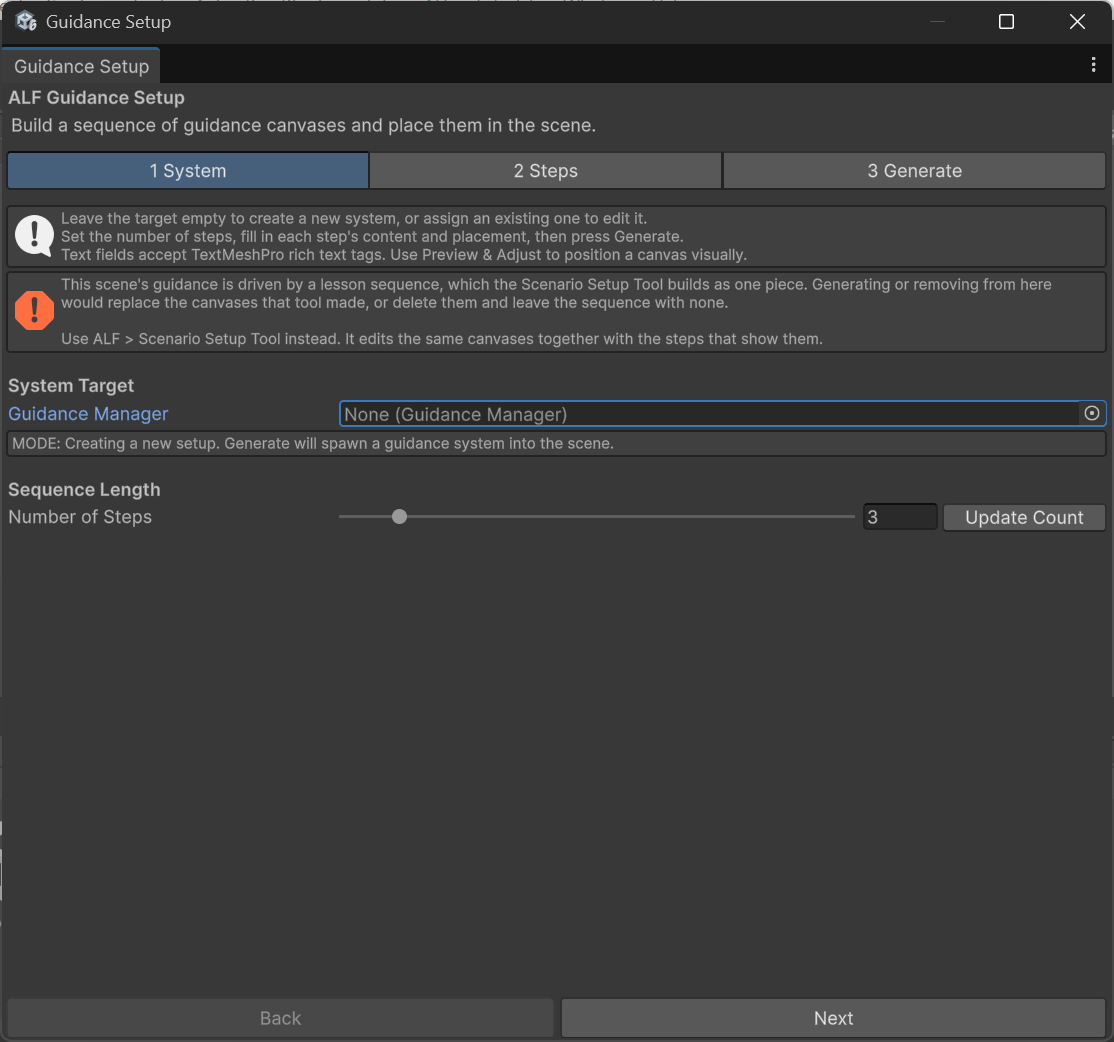
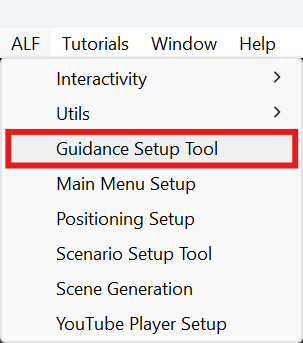
In Unity's top menu, choose ALF > Guidance Setup Tool. The window has three tabs:
| Tab | What you do there |
|---|---|
| 1 System | Start a new sequence or edit the one in the scene, and set the number of steps. |
| 2 Steps | Fill in each panel. The list of steps is on the left, the selected step on the right. |
| 3 Generate | Check for warnings, then build the panels into the scene. |
What you type in tabs 1 and 2 is a draft. Nothing changes in the scene until you press the button in tab 3 Generate.