Make a graph from formulas
Goal: draw one or more functions, for example sin(x) and cos(x), over a range you choose.
Steps
-
Open ALF > Content Creation > Graphs.
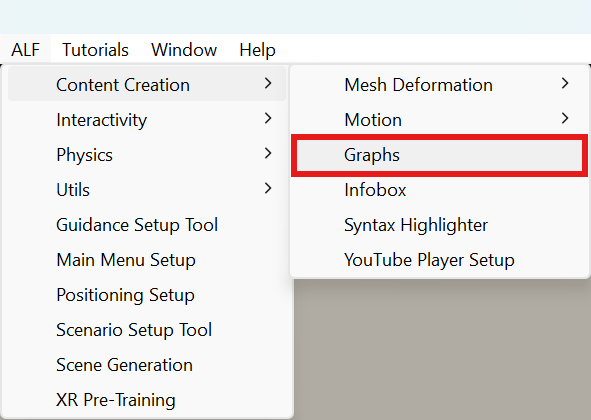
-
In step 1 Data, select Formulas.
-
Under Variable and range, set:
- Variable: the name in your formulas,
xby default (ornfor sequences); - From, To and Step: the values it runs through;
- Angles: Radians (sin(pi/2) = 1) or Degrees (sin(90) = 1).
- Variable: the name in your formulas,
-
Type a formula, and give it a Name. Press + Add a formula for each further line in the graph.
-
Check the Preview. Mistakes are explained under the formula, for example Did you mean sin(x)?.
-
Press Compute and add the graph to the scene.
Then continue with Choose the chart, Change the look and Place the graph, and press Save the scene in step 5 Save.
Writing formulas
| You write | Meaning |
|---|---|
+ - * / ^ | Add, subtract, multiply, divide, power. ·, ×, ÷ and : work too. |
2x, 3x^2, (x-1)(x+1) | Multiplication without a sign. |
x², x³, √x, 5! | Square, cube, square root, factorial. |
pi, π, e | Constants. |
sin cos tan asin acos atan | Trigonometry, in radians or degrees as chosen. |
sqrt abs ln exp floor ceil round | Common functions. |
log(x), log(x, b) | Logarithm to base 10, or to base b. |
min(a, b), max(a, b), mod(a, b) | Smallest, largest, remainder. |
sum(k, 1, n, 1/k^2) | Sum over k from 1 to n, for series. prod(…) works the same for products. |
Use a decimal point: 0.5, not 0,5.
Good to know
- Gaps are fine. Where a formula has no value, such as
sqrt(x)below 0 or1/xat 0, the line simply has a gap. - Change the formulas later with Change the formulas… on the selected graph.
- The values are computed once and stored, like an imported file.