What learners see and do
New to Unity? The basic terms (Scene, Hierarchy, Project window, Play mode) are explained in Before you start.
What you need
A lesson scene with a room and a player setup, made with Scene Generation. The lab doesn't set those up itself.
What learners see
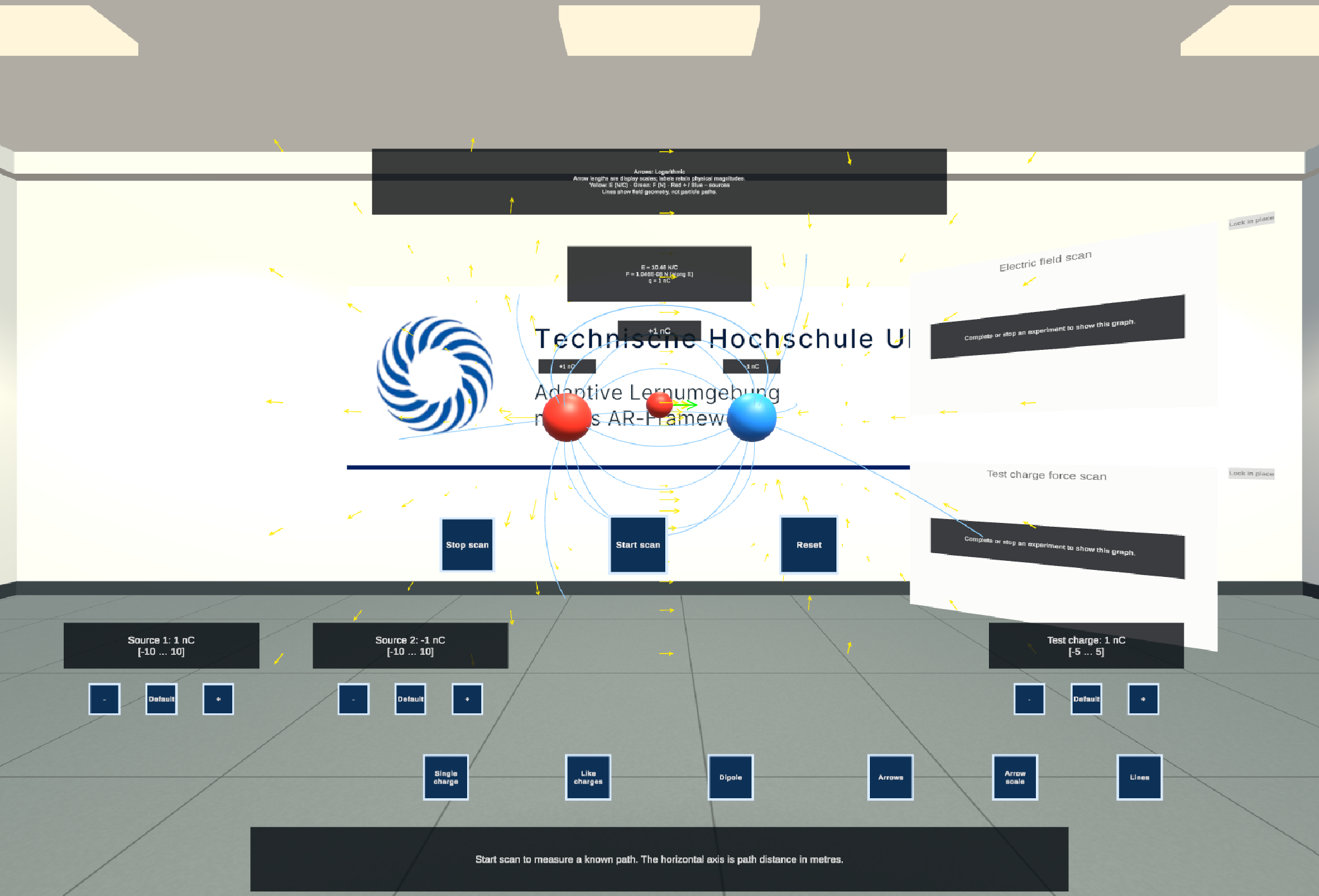
- Charges as spheres: red for positive, blue for negative. Each shows its charge in nanocoulombs (nC).
- Arrows for the field at points around the charges, in yellow.
- Field lines that show the shape of the field. They show the field's direction, not the path a particle would take.
- A test probe they can grab and move. Its readout shows the field E (N/C) and the force F (N) on the test charge at that point.
- A graph for the scan.
- A legend explaining the colours: Yellow: E (N/C) · Green: F (N) · Red + / Blue − sources.
What learners can do
| Control | What it does |
|---|---|
| Single charge, Like charges, Dipole | Switch to a ready-made arrangement of charges. |
| Arrows, Lines | Show or hide the arrows and the field lines. |
| Arrow scale | Switch how arrow length shows field strength. The numbers in the readouts never change. |
| Test charge | Reverse the test charge, to see the force flip while the field stays the same. |
| Start scan / Stop scan | Move the probe along a straight path and plot |E| and |F| against the distance. |
| Reset | Put the charges and the probe back to their starting positions. |
With the guided lesson, the buttons are labelled in the language learners choose (English or German).
Good to know
- Readings near a charge are switched off. Each charge has a small sphere around it in which no reading is shown, because the formula grows without limit there.
- The model is simplified: stationary point charges in a vacuum. The probe measures, but doesn't disturb, the field.
The window
| Step | What you do there |
|---|---|
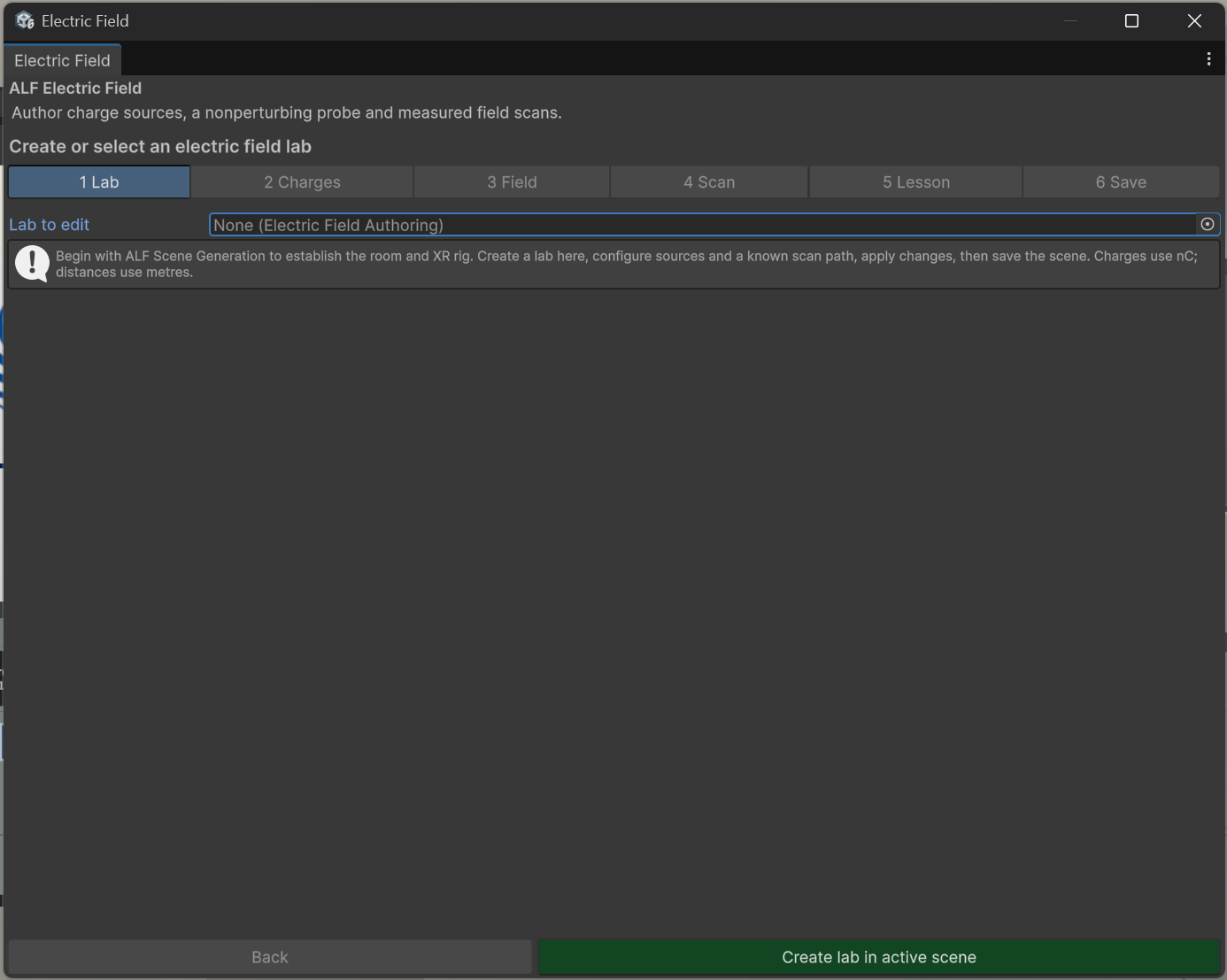
| 1 Lab | Create the lab, or choose the lab to edit, and set where it stands. |
| 2 Charges | Add up to four charges, and set their position, charge and excluded radius. Set where the probe starts. |
| 3 Field | The area where arrows and lines are drawn, and how many. |
| 4 Scan | The start and end of the scan path. |
| 5 Lesson | Optional guided lesson in English and German. |
| 6 Save | Apply the settings, save, or remove the lab. |
Charges are in nC (nanocoulombs), distances in metres.