Let learners press a flat button with a finger
Goal: let learners press a flat button by touching it, not only by pointing at it with a controller ray.
By default, a flat button can only be pressed with a controller ray. Push button models can already be pressed with a finger, so you don't need to do anything for them.
Steps
-
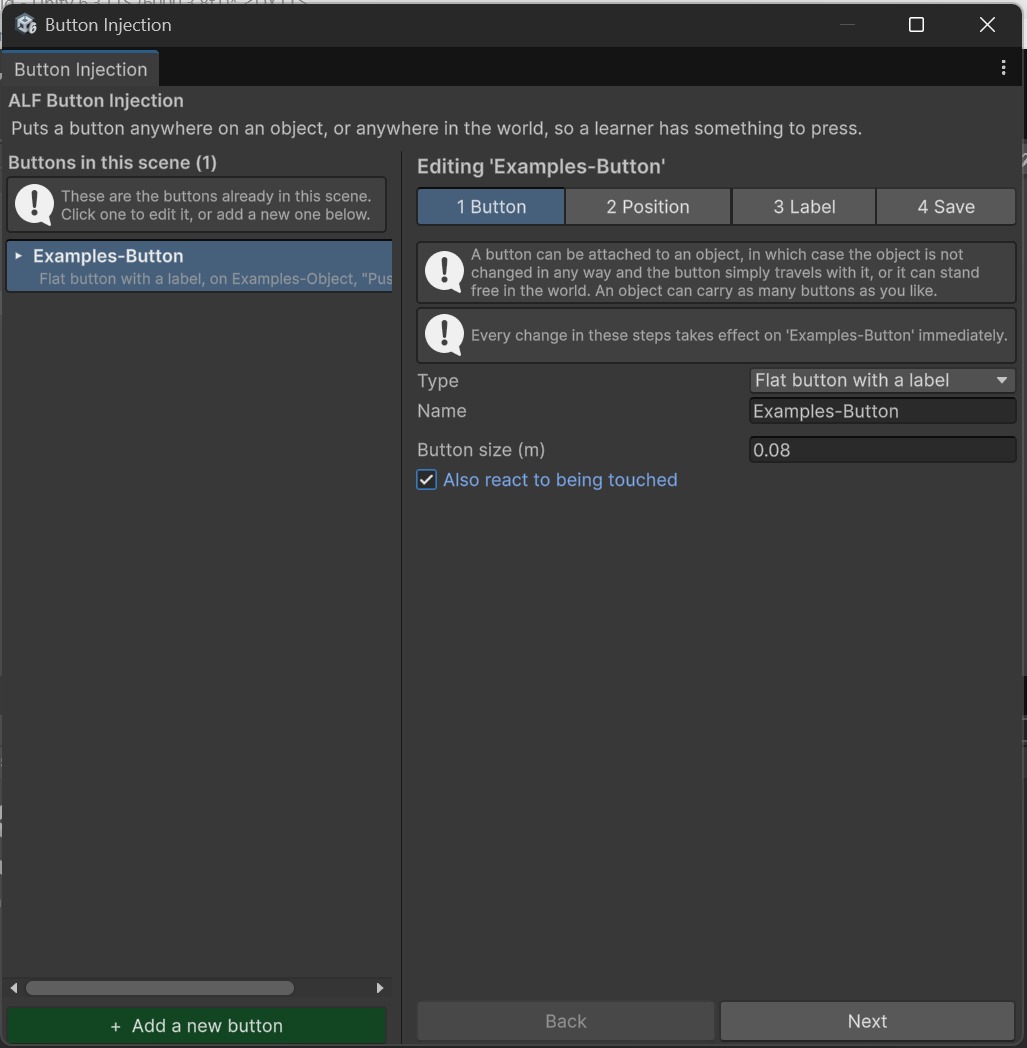
Select the flat button in the list.
-
In step 1 Button, tick Also react to being touched.
-
Save the scene in step 4 Save.
Result
The button can now be pressed both ways: with a controller ray and with a fingertip.
Good to know
- Clickable parts are pressed with a pinch, not a fingertip poke. See How learners press it.
- If you use this button to advance a lesson step, it will appear under both trigger methods in the Scenario tool. Either choice works.